











GOES SPACECRAFT
3d Model
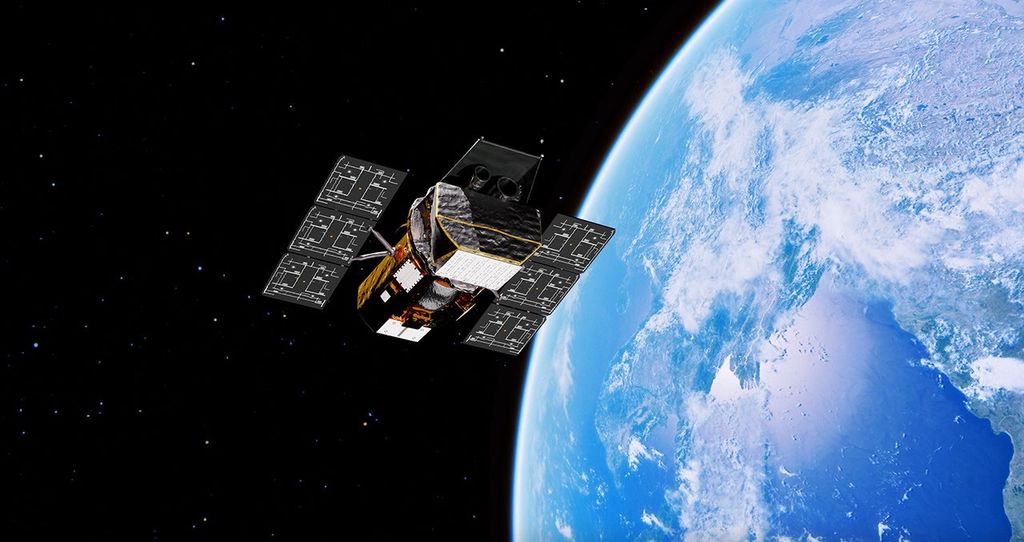
Interact with the GOES Spacecraft 3d model below as well as find images identifying the key GOES Spacecraft instruments and a section of usage/help instructions.
GOES Spacecraft 3D Model Interactive
Details
Use the double arrow icon (upper right) to go full screen. Click on and drag to rotate, shift drag to reposition the spacecraft relative to the center of rotation and within the window, mouse wheel to zoom. Use the arrow keys to rotate the X and Y axis.
Mission
Downloads
Usage Instructions/Notes
NOTE: the NASA CMS currently uses google's "model-viewer" tag to present/play 3d AR models.
FULL SCREEN: Use the double arrow icon (upper right) to toggle full screen.
MOUSE CONTROL: Click and drag to rotate in all 3 axes, shift drag to reposition the spacecraft relative to the center of rotation and the window, mouse wheel to zoom. Note it's often useful to use a combination of the mouse to adjust the initial view of the model and then use the keyboard arrow keys to isolate rotation to ONLY the x or y axis.
KEYBOARD CONTROL: Use the arrow keys to rotate the model in the X and Y axes (there is no model-viewer keyboard control for Z axis). Us the Shift arrow keys to reposition the spacecraft relative to the center of rotation and the window. There is no keyboard equivalent to zoom ( there maybe an exception for you specific platform see below).
LIMITED Y-AXIS ROTATION: the web browser's model-viewer limits Y axis rotation to 180 degrees to prevent users from "getting lost" as the model turns upside down.
MORE CONTROLS: Some platforms and browsers allow for more variations of keyboard control that are specific to your particular system. Try searching on your specific platform/browser and " 3d AR keyboard control for model-viewer on (insert your machine and browser) ".
Labeled Spacecraft Images
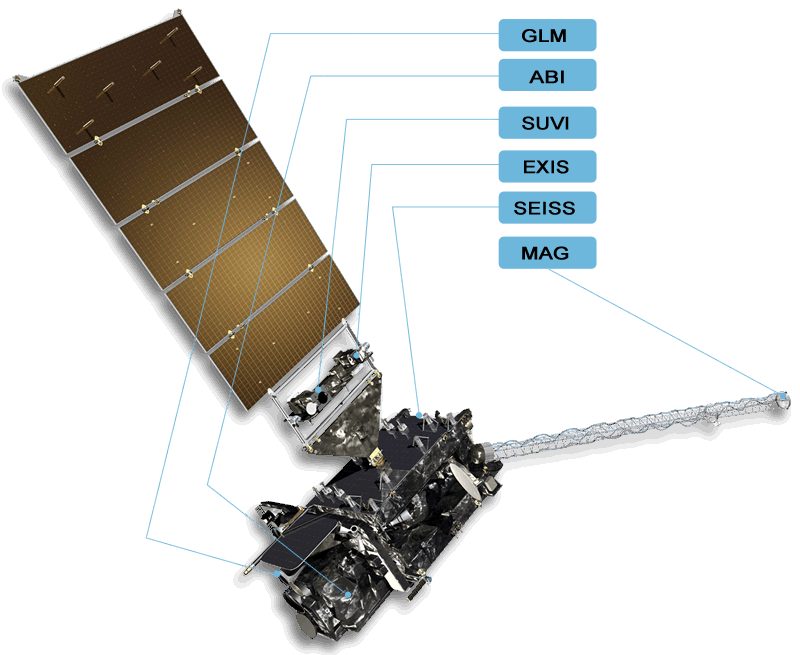
GOES-R,S,T Spacecraft (does not contain CCOR)
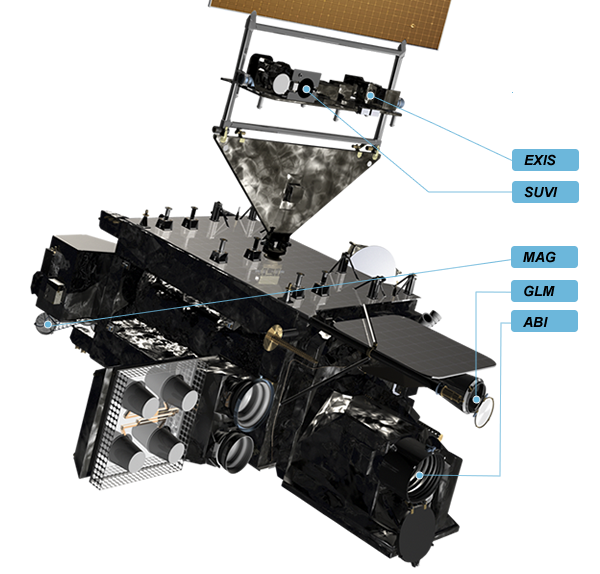
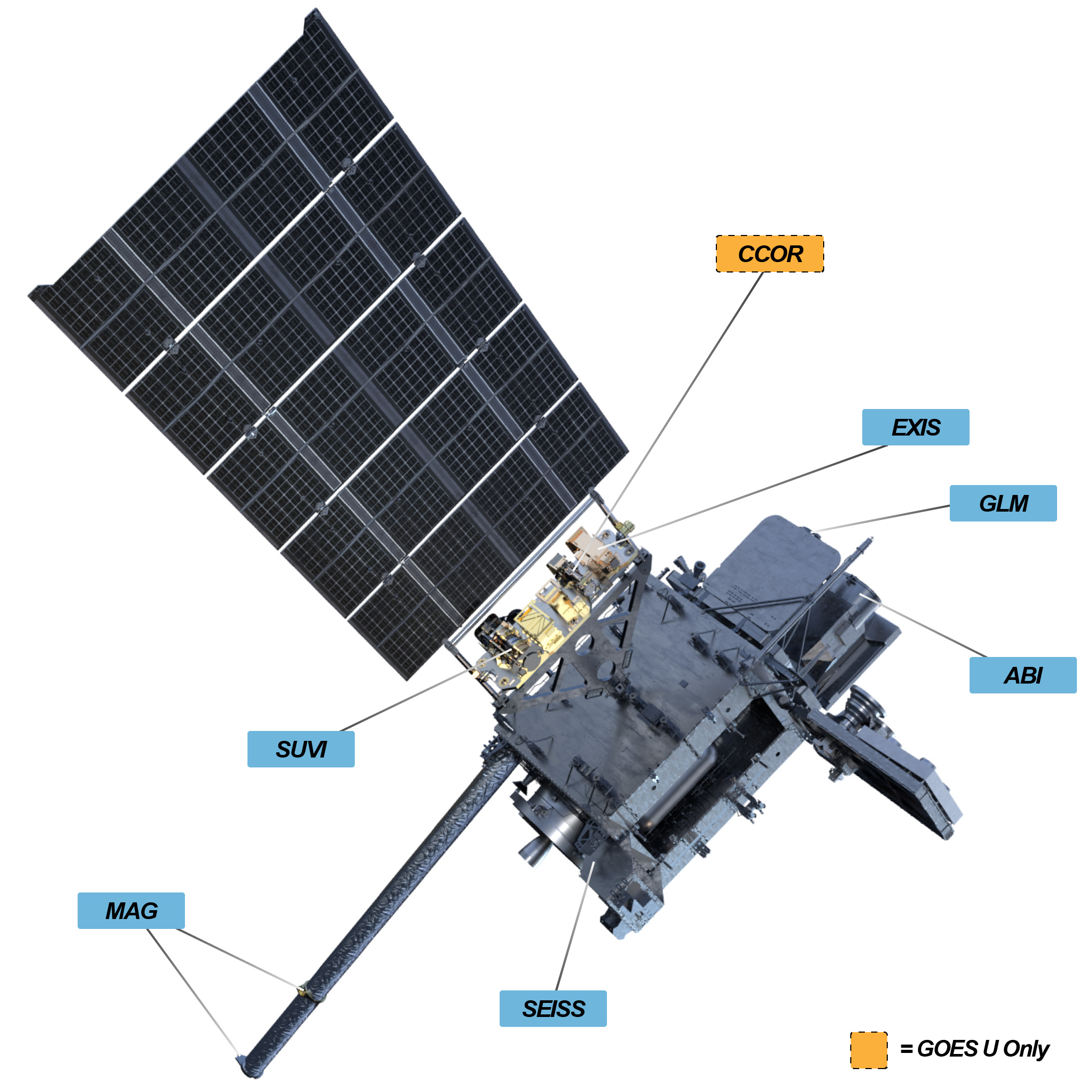
GOES-U Spacecraft (contains CCOR)
Instruments Listing
- EARTH/NADIR POINTING:
- SOLAR POINTING:
- Mounted on a Sun Pointing Platform (SPP) housed on the solar array yoke
- The SPP provides a stable platform that tracks the seasonal and daily movement of the sun relative to the spacecraft
- EXIS: Extreme Ultraviolet and X-ray Irradiance Sensors (new tab)
- SUVI: Solar Ultraviolet Imager ( new tab)
- CCOR (GOES-U only ) : Compact Coronograph (new tab)
- IN-SITU:
More 3d and Related Information
- Track Earth observing satellites in 3d, in near real time with real time cloud cover. (new tab)
- View GOES current full disk Earth images of western hemisphere as an animation loop (new tab)
- View GOES image products for all GOES' latest earth observation channels and regions (new tab)